
#ET-A-261074New lot · 1,800 kg
Manage Your Green Coffee Lots in One Place
When stock decreases, a price changes or new photos become available, update one lot record. Buyers can use the same link to review the current listing.
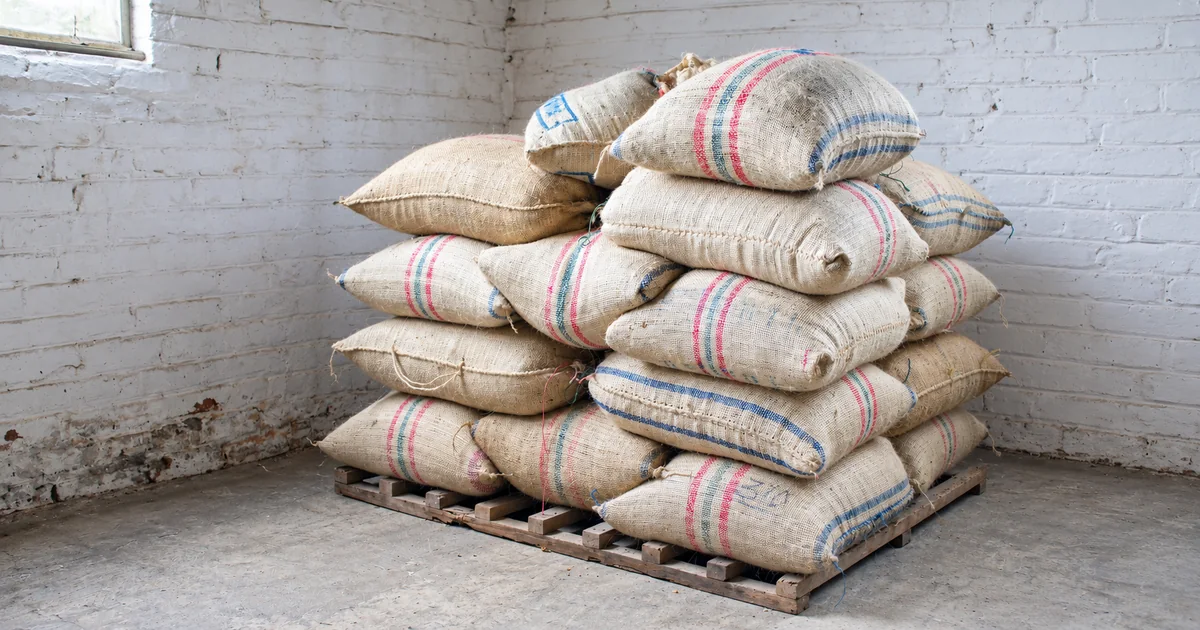
Green coffee stocks change. One lot sells down, another receives a price update, and a new harvest or delivery option becomes available. Keeping this information clear for buyers is part of everyday trading.
Gerarco lets suppliers manage lots through one panel and share each lot using its own link. When a buyer opens that link, they see the information currently published for the lot.
Select the coffee and add the lot details
Start by selecting the relevant coffee. Then enter the grade, screen size, harvest and any measurements available for the stock you are offering. General coffee information is kept separate from individual stock details, allowing different lots of the same coffee to be listed with their own specifications.
Present quantity and pricing clearly
- Specify total stock and the minimum sale quantity.
- Enter the packaging type and bag weight.
- Set a single price or quantity-based pricing tiers.
- Add the stock country and city, named delivery location and delivery terms.
These details help buyers assess whether the lot fits their requirements before contacting you. A quotation request is then based on a specific lot and quantity.
Keep photos and documents with the record
You can add photos of the coffee and its packaging, video and lot documents. Buyers can review the technical details and supporting media on the same lot page, rather than searching through separate messages.
Update the record as stock and prices change
The quick update controls in the lot list provide access to stock and pricing. Open the full lot record for broader changes. A lot you no longer wish to offer can be made inactive to separate it from your active listings.
Share the same link
Each lot has its own page and lot code. Share the link by email, messaging or social media. Buyers can review the lot, choose a quantity and submit a quotation request from that page.
Gerarco’s aim for suppliers is to make lot information straightforward to structure once and practical to maintain as trading continues.
More Articles
Clear Information and Trust in Green Coffee Trade
Trust in green coffee trade depends on clearly defined product identity, quality information and commercial terms. Gerarco brings these details together in a common structure.
Read Article
How to Compare Green Coffee Lots Before Buying
The same coffee name can appear with different prices and commercial terms. Here is what to compare when choosing a lot for your business.
Read Article
Making Green Coffee Prices and Commercial Terms Clearer
Meaningful green coffee price comparisons require product details and delivery terms to be considered together. Gerarco gives buyers more options and suppliers a clear way to present their offer.
Read Article